Your Google Drive space, as a real drive on your Mac.
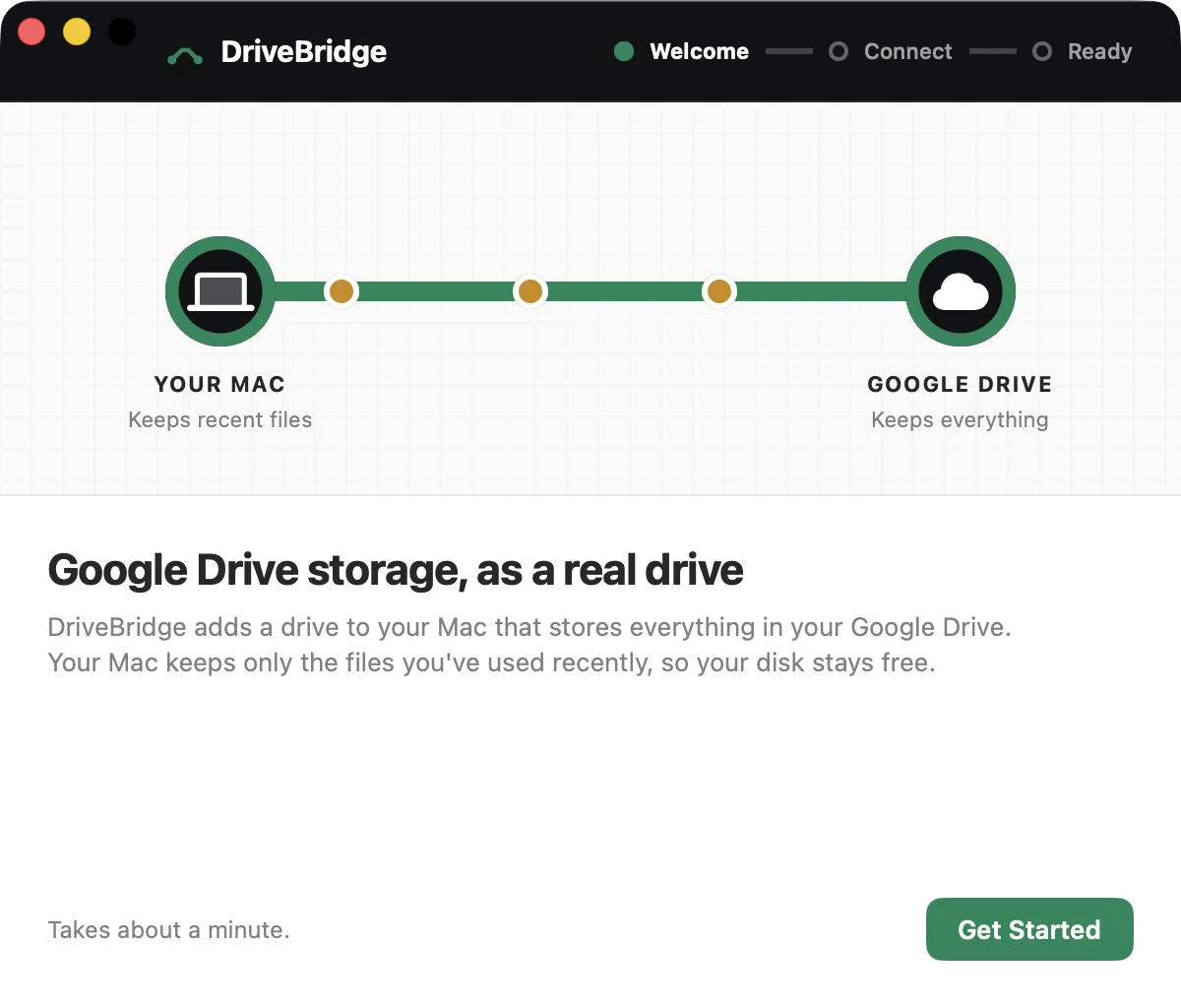
DriveBridge puts a DriveBridge drive in Finder that stores everything on Google Drive. Your Mac keeps only the files you've used recently, so your disk stays free.
30 days free. macOS 13 Ventura or later, Apple silicon and Intel.
A drive, not another sync folder.
Sync apps keep a second copy of your files on the Mac. DriveBridge doesn't: files open from Google Drive on demand and recent ones stay close, up to the limit you set.
Set up in about a minute.
Drag DriveBridge to Applications
Open it and it lives in your menu bar. Nothing to configure, no terminal.
Connect your Google account
Sign in with Google in your browser. DriveBridge gets access only to its own DriveBridge folder in your Drive.
Save to the drive like any disk
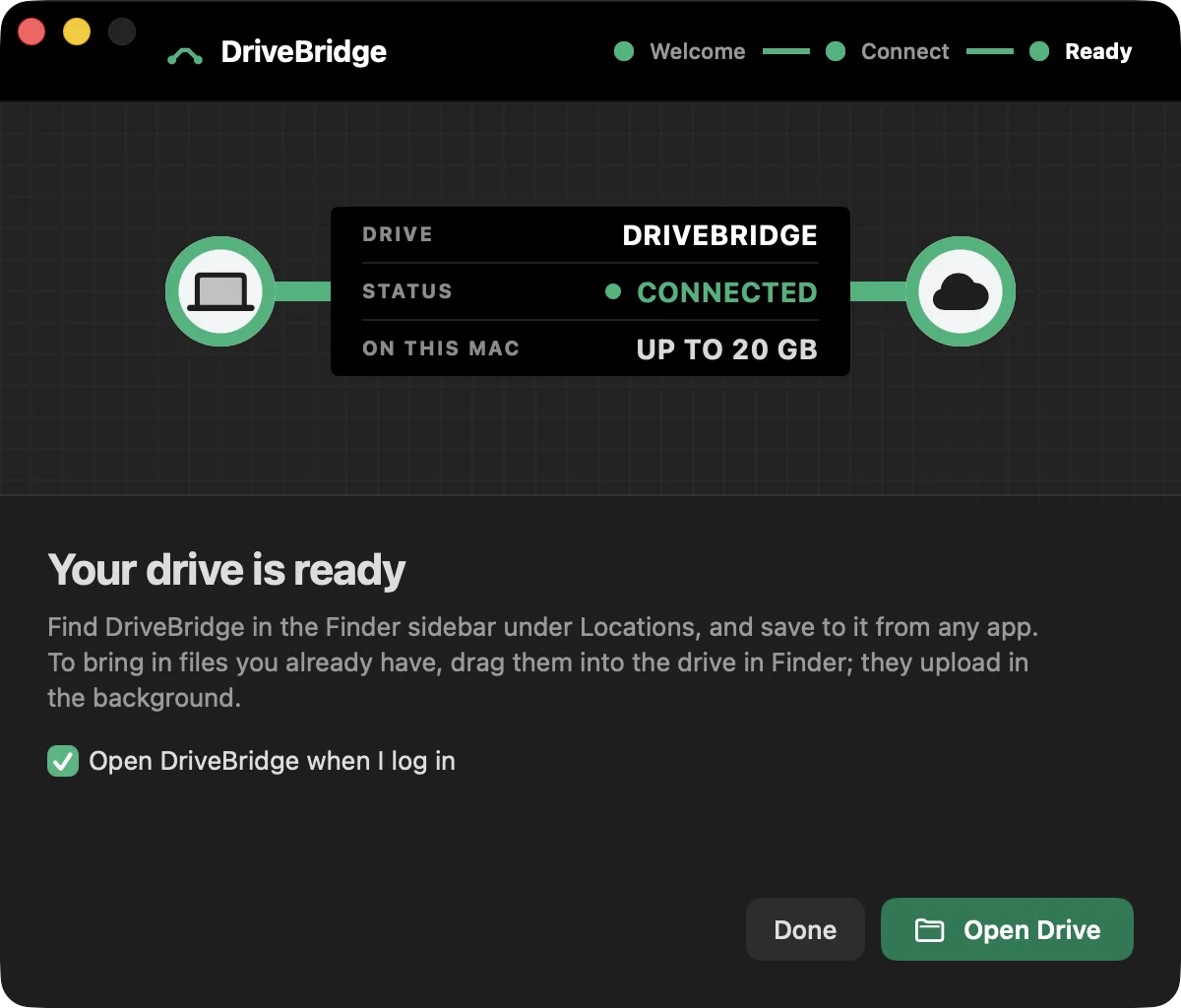
DriveBridge appears in Finder under Locations. Drag files in, save from any app, open them later from any Mac or from drive.google.com.


Good to know before you buy.
It uses its own folder
Everything you save lands in My Drive › DriveBridge. Files already elsewhere in your Drive stay put and don't appear in the drive; drag them in to bring them over.
Your files go straight to Google
Files travel between your Mac and Google directly. They never pass through our servers.
One password, once
The first start asks for your Mac password to add the drive to Finder's Locations. It doesn't ask again.
Eject is safe
Eject waits for uploads to finish. If you eject or quit early, unfinished uploads stay on your Mac and continue next time.
Uses your Google storage
Space comes from your Google account's plan: 15 GB free, or more with Google One.
Clean uninstall
Settings › Account › Uninstall removes DriveBridge and everything it set up. Your files stay in Google Drive.
One price. No subscription.
Try every feature free for 30 days. Buy once and it's yours.
- Full DriveBridge app with every feature
- Free updates for version 1
- Use it on up to 2 of your Macs
- Email support from the team that builds it
Questions
Is this different from Google Drive for desktop?
Yes. Google's app syncs a copy into a folder on your Mac. DriveBridge attaches your Google Drive storage as a drive and keeps only recent files on the Mac, up to a size you choose.
Can I see the files I already have in Google Drive?
Not automatically. For your privacy, DriveBridge can only see its own DriveBridge folder. Drag existing files into the drive in Finder and they'll upload there.
Can I store my projects on it?
Yes, for documents, media and project files. Folders with thousands of tiny files (like node_modules) are slower over any network drive, so keep those on your Mac.
What happens if I lose my internet connection?
Recently used files keep opening. New changes are kept on your Mac and upload when you're back online.
How do I move my license to a new Mac?
Enter your license key on the new Mac. Each license covers 2 Macs; email us if you need to free up a slot.
Does DriveBridge collect my data?
No. There are no analytics and your files never touch our servers. See the privacy policy.